
How to Connect Garmin to Strava
Quick answer
Open the Strava app and go to You > Settings > Connect an App or Device > Garmin > Connect Garmin. Then, sign in to your Garmin Connect account and approve the requested connection permissions. You can also start the connection from the Strava website under My Profile settings in the Social Connections section.
Once linked, Garmin automatically sends new activities to Strava after each workout, usually within a couple of minutes. Distance, time, heart rate and GPS route all transfer over, while metrics that are exclusive to Garmin Connect, like Body Battery and Training Readiness, stay put.
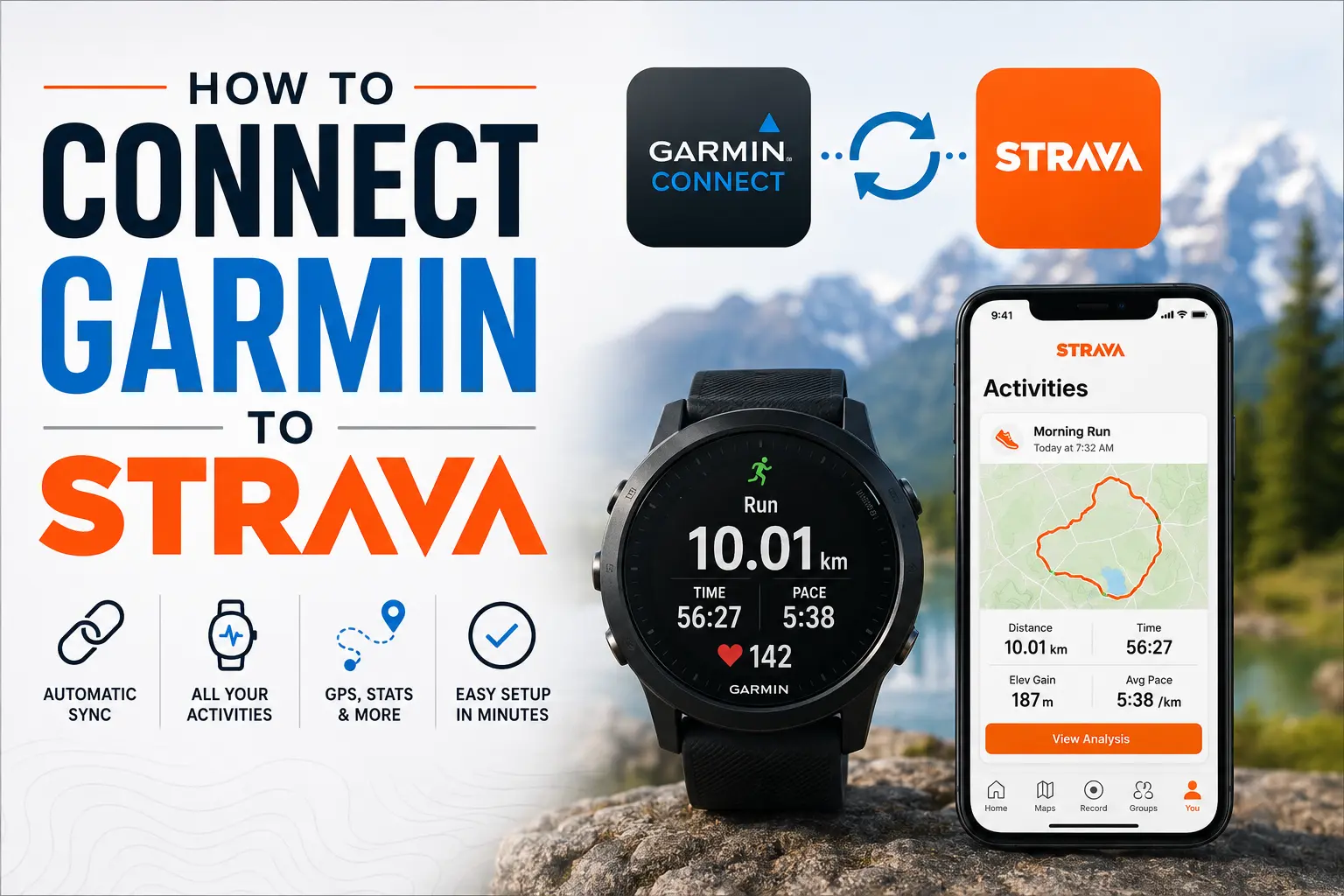
Does Garmin sync with Strava?
Yes. Garmin Connect has an official direct integration with Strava, so no manual file exports are needed once the two accounts are connected. Every eligible activity recorded on a Garmin device uploads to Garmin Connect first, then forwards to Strava on its own, typically within a few minutes.
Worth knowing upfront: the connection is all or nothing. Garmin doesn't let you pick which activity types to sync, so once the integration is turned on, every eligible workout goes through automatically. There's no setting for "running only" or "cycling only".
One more somewhat related thing worth mentioning: Strava briefly filed a patent lawsuit against Garmin in late 2025 then dropped it three weeks later. The sync itself was never interrupted for users, though Garmin had reportedly threatened to pull API access before the dispute was dropped.
How to Sync Garmin Activities with Strava
Setup takes about two minutes and only needs to happen once.
From the Strava app
- Open the Strava app.
- Tap the You tab.
- Tap the settings icon in the upper corner.
- Select Connect an App or Device.
- Choose Garmin and tap Connect Garmin.
- Sign in with your Garmin Connect email and password.
- Accept the permissions prompt to finish linking the accounts.
From the Strava website
- Log in to Strava and open My Profile settings.
- Find the Social Connections section.
- Select Connect with Garmin and follow the prompts.
- Sign in to Garmin Connect and accept the permissions request.
Garmin says the previous year of eligible activities in your Garmin Connect account should sync over to Strava when you connect the accounts. Future activities will then sync automatically. If you disconnect and reconnect the integration while troubleshooting, the refreshed connection may not activate until a new activity uploads to Garmin Connect. Activities older than one year can be exported from Garmin Connect and uploaded manually.
What data actually syncs
| Garmin data | Syncs to Strava? | More context |
|---|---|---|
| Recorded runs and rides | Yes | The full activity should upload after reaching Garmin Connect. |
| Walks, hikes and swims | Yes | Supported recorded activities can transfer. |
| GPS route and map | Yes | Available when the Garmin activity contains GPS data. |
| Distance, duration and pace | Yes | Included with most supported activities. |
| Heart rate | Yes, when recorded | Transfers when heart rate was recorded during the activity. |
| Cycling power and cadence | Yes, when recorded | Transfers when the sensors and activity file contain supported power or cadence data. |
| Elevation and laps | Usually | Availability depends on the device and activity file. |
| Steps | No | Daily step totals do not sync as Strava activities. |
| Sleep and stress | No | These remain in Garmin Connect. |
| Body Battery, Training Readiness and Garmin training load | No | Garmin-specific metrics remain in Garmin Connect. |
| Strava routes | Separate reverse sync | Saved or starred Strava routes can sync to Garmin devices that support Courses. |
Strava is largely built around recorded activities, so daily health data such as sleep, HRV and stress does not transfer through this connection. For a broader view, Sonar brings Garmin health metrics together with Strava workouts in one dashboard.
The cleanest sync tends to happen with GPS activities recorded directly on your Garmin watch. Indoor workouts and older devices without GPS can still sync, just without the route map attached.
Not seeing your data? Try this.
- Check that the Activities permission is turned on for Strava inside Garmin Connect under Settings and Connected Apps.
- Make sure only one Strava account is linked to your Garmin account. Garmin sends data to the most recently created account only (look for the highest athlete ID), not to every account you've ever linked.
- If a single activity is missing, export the Original/FIT file from Garmin Connect and upload it manually through Strava's upload page. Use a TCX file as a backup if the original file is unavailable. Unzip the file first if Garmin downloads it in that format.
- Check Garmin's status page if delays are happening across several activities at once, since the holdup is often on Garmin's side during peak upload times. Strava also has their own status page worth checking.
- Disconnect and reconnect the integration if permissions look correct but nothing changes. Just remember the sync won't restart until your next new activity uploads.
Frequently Asked Questions (FAQ)
Can I choose which activity types sync from Garmin to Strava?
No. The Garmin to Strava connection does not offer activity-level or sport-specific permissions. Once connected, every eligible activity uploads automatically. If you want to manage how those synced activities appear to others in your feed, use Mute Activity after it syncs. To hide it from other users entirely, change its activity visibility to Only You.
Can I sync old Garmin activities to Strava?
Yes. Garmin says you can import up to the previous year of eligible activities from Garmin Connect. Activities older than one year can be transferred manually by exporting the Original or TCX file from Garmin Connect, then uploading it through the Strava website. It's currently not possible to automatically import your full Garmin activity history.
Can more than one Strava account be linked to a single Garmin account?
Technically yes, but only one will actually receive data. Garmin sends activities to the most recently created Strava account (check for the highest athlete ID) and ignores any older linked accounts. If activities are landing in the wrong place, disconnect the accounts you don't want and reconnect the one you do.
Related Guides
Connecting more of your wearable data? These guides walk you through two of the more popular integrations.
About Sonar
Your body is talking. Are you listening? Sonar unifies all of your wearables, lifestyle, and biomarker data to unlock personalized insights and detection once reserved for elite athletes and biohackers. Trusted by 250,000+ users across 170+ countries, Sonar helps you cut through the noise across sleep, recovery, stress, activity, and nutrition - so you can focus on what actually matters. Sonar isn't just another health tracker. Launched out of Columbia University in New York, it merges the latest medical, sports and data science with AI engines that continuously surface subtle shifts and patterns across millions of data points, helping you know when to push, when to pause, and where to focus next.
More to Explore
July 13, 2026
July 9, 2026
July 3, 2026
Get the latest from Sonar
Share your email to stay up-to-date with all things Sonar
- English (Canada)
- Bahasa Indonesia
- Bahasa Melayu
- Català
- Čeština
- Dansk
- Deutsch
- English
- English (Australia)
- English (UK)
- Español (España)
- Español (Latinoamérica)
- Español (México)
- Français
- Français (Canada)
- Hrvatski
- Italiano
- Magyar
- Nederlands
- Norsk
- Polski
- Português (Brasil)
- Português (Portugal)
- Română
- Slovenčina
- Slovenščina
- Suomi
- Svenska
- Tiếng Việt
- Türkçe
- Ελληνικά
- Русский
- Українська
- עברית
- العربية
- हिन्दी
- ไทย
- 한국어
- 日本語
- 简体中文
- 繁體中文
EN