
How to Connect Apple Health to Claude
Quick Answer
You can connect Apple Health to Claude with an iPhone through the Claude iOS app, allowing Claude to analyze health and fitness data stored in Apple Health, including sleep, activity, workouts, heart rate and nutrition.
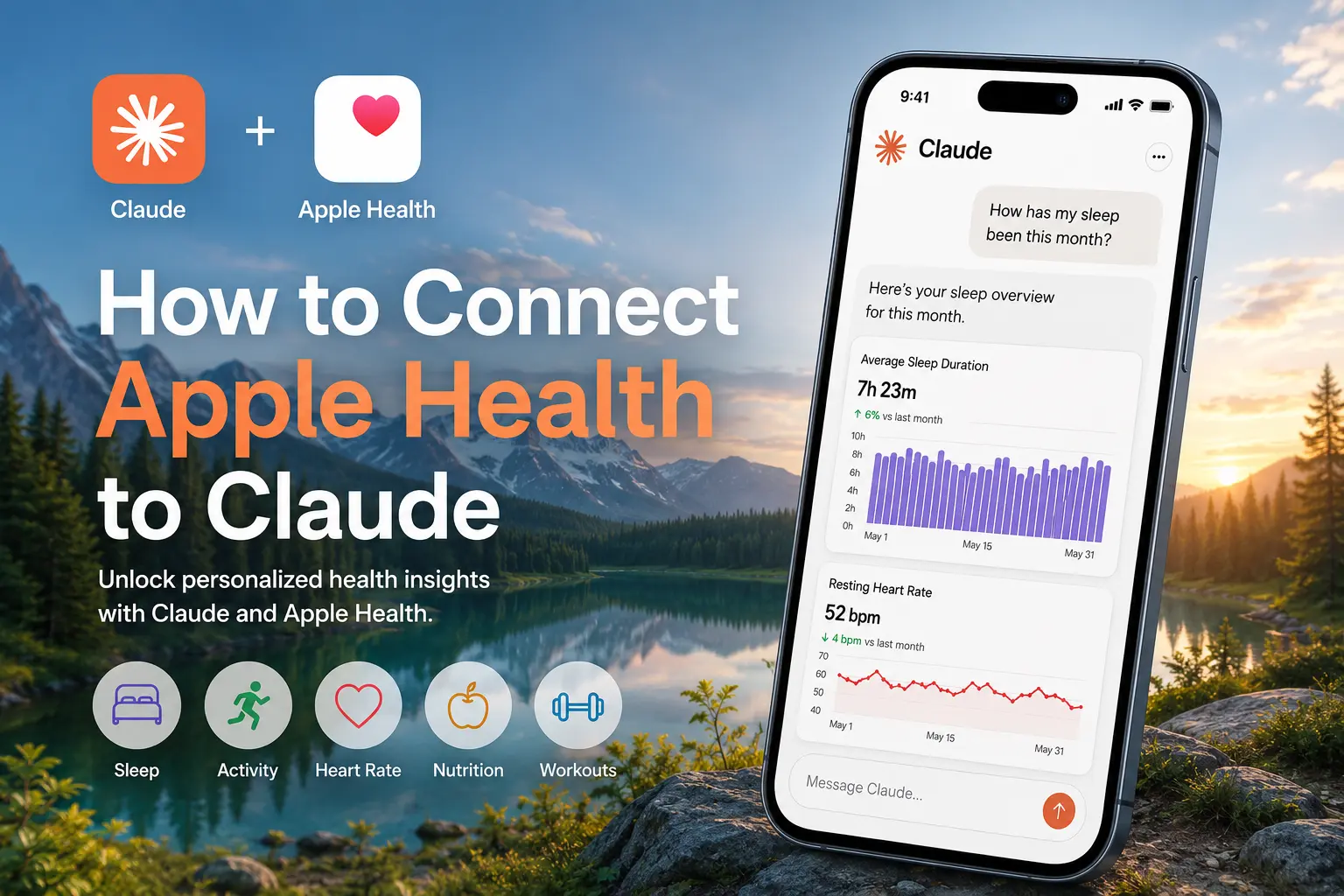
To connect Apple Health to Claude:
- Open the Claude app and start a conversation.
- Ask a question specific to health or fitness, like "how has my sleep been this month" or "show me my resting heart rate trend."
- Claude will recognize that it needs Apple Health data to answer your question and prompts you for permission.
- Tap through to the standard iOS Health permissions screen and choose which categories you'd like to share, then confirm it.
- Claude now has visibility into your health data and can respond with more personalized insights.
The feature is currently in beta and is limited to Claude Pro and Max subscribers in the United States.
What You Need Before Starting
Three things have to be true before you can grant any permissions to Claude:
- An iPhone with the Claude app installed and updated to the latest version.
- A Claude Pro or Max subscription. The integration does not work on the free plan.
- A US location. Anthropic has limited this beta to US users for now.
If you currently live outside the U.S. or do not have the proper subscription, you will not be able to use this integration. However, with it still being in beta, there is a higher likelihood for further expansion. In the meantime, apps like Sonar can provide a unified view of health and fitness data from multiple apps and wearables, along with AI-powered insights.
Steps to Connect Apple Health to Claude
Unlike the health apps you're used to using, there is no separate settings page where you can enable Apple Health in advance. Claude requests access when it needs health data to answer one of your questions.
Step 1: Open Claude
Launch the Claude app on your iPhone and start a new conversation.
Step 2: Ask About Your Health Data
Ask a question such as:
- How has my sleep been this month?
- Show my resting heart rate trends.
- Compare my activity levels this week versus last week.
- Analyze my recent running performance.
Step 3: Grant Apple Health Access
Claude will recognize that it needs access to your Apple Health data and display a permissions prompt.
Tap Allow Access to open Apple's Health permissions screen.
Step 4: Choose Health Categories
Select the health categories you want Claude to access. You can share all available data or only specific categories.
Step 5: Start Using Claude Health Insights
Once you've granted the proper permissions, Claude can access your shared Apple Health data and generate things like charts, summaries or personalized observations directly inside the conversation.
What Health Data Can Claude Read?
Claude can access many of the same health metrics available inside Apple Health, including:
| Category | Examples |
|---|---|
| Activity | Steps, distance walked, active calories, exercise minutes |
| Workouts | Workout type, duration, distance, calories burned |
| Heart Health | Heart rate, resting heart rate, HRV |
| Sleep | Sleep duration, sleep stages, time in bed |
| Body Measurements | Weight, BMI, body fat percentage |
| Nutrition | Calories, macronutrients, water intake |
| Vitals | Blood oxygen, blood pressure and other supported metrics |
The exact data available depends on what is stored in Apple Health and which permissions you approve. Claude currently has read-only access, therefore, it cannot write anything back to Apple Health.
What Can You Ask Claude About Your Apple Health Data?
Similar to ChatGPT's Apple Health integration, Claude can analyze multiple Apple Health metrics simultaneously rather than evaluating each one in isolation. This allows you to ask deeper questions about how factors such as your sleep, exercise, recovery and nutrition may be influencing one another over time.
Examples include:
Sleep Analysis
- "Do I lose deep sleep on nights I work out after 7pm?"
- "Compare my sleep efficiency on weeknights vs. weekends for the last two months."
- "Which three nights gave me the best mix of duration and low resting heart rate, and what was different about those days?"
Health and Fitness
- "Build a half marathon training plan using my actual recent mileage and recovery patterns, not a generic template."
- "Flag the weeks my workout consistency dropped and check what else changed that week, like sleep or nutrition."
- "Plot my heart rate variability against my workout load for the last six weeks and tell me if I'm overtraining or increasing my strain."
Nutrition Insights
- "Do my high protein days line up with better workout performance the next morning?"
- "Find the weeks my hydration dropped and check if my resting heart rate went up at the same time."
- "Compare my calorie intake on nights I slept under six hours vs. nights I slept more than eight."
Does the Apple Health Data I Share with Claude Remain Private?
The integration is opt-in. You choose which health categories Claude can access and can revoke permissions at any time through Apple's Health settings.
According to Anthropic, health data accessed through this integration is not used to train Claude's models. Users maintain control over which categories are shared and can disable access whenever they choose.
Claude Supports More Than Apple Health
Anthropic has expanded health integrations beyond Apple Health.
| Platform | Operating System |
|---|---|
| Apple Health | iPhone (iOS) |
| Health Connect | Android |
| HealthEx | Connected health records |
| Function | Lab testing data |
If you use Android, you will typically connect Claude through Health Connect rather than Apple Health.
Frequently Asked Questions (FAQ)
Can I connect Apple Health to Claude on my desktop?
No. The Apple Health integration currently works only through the Claude iPhone app. The claude.ai website does not support Apple Health connections.
Does Apple Health work with the free Claude plan?
No. You currently need a Claude Pro or Claude Max subscription to access health integrations.
Can Claude analyze Apple Watch data?
Yes. Any Apple Watch metrics that sync into Apple Health can potentially be analyzed by Claude after permission is granted.
Can I disconnect Apple Health from Claude?
Yes. Open Settings → Health → Data Access & Devices → Claude and revoke permissions at any time.
About Sonar
Your body is talking. Are you listening? Sonar unifies all of your wearables, lifestyle, and biomarker data to unlock personalized insights and detection once reserved for elite athletes and biohackers. Trusted by 250,000+ users across 170+ countries, Sonar helps you cut through the noise across sleep, recovery, stress, activity, and nutrition - so you can focus on what actually matters. Sonar isn't just another health tracker. Launched out of Columbia University in New York, it merges the latest medical, sports and data science with AI engines that continuously surface subtle shifts and patterns across millions of data points, helping you know when to push, when to pause, and where to focus next.
More to Explore
June 23, 2026
June 16, 2026
Get the latest from Sonar
Share your email to stay up-to-date with all things Sonar
- English
- Bahasa Indonesia
- Bahasa Melayu
- Català
- Čeština
- Dansk
- Deutsch
- English (Australia)
- English (Canada)
- English (UK)
- Español (España)
- Español (Latinoamérica)
- Español (México)
- Français
- Français (Canada)
- Hrvatski
- Italiano
- Magyar
- Nederlands
- Norsk
- Polski
- Português (Brasil)
- Português (Portugal)
- Română
- Slovenčina
- Slovenščina
- Suomi
- Svenska
- Tiếng Việt
- Türkçe
- Ελληνικά
- Русский
- Українська
- עברית
- العربية
- हिन्दी
- ไทย
- 한국어
- 日本語
- 简体中文
- 繁體中文
EN