
How to Sync Google Health to Apple Health
Quick Answer
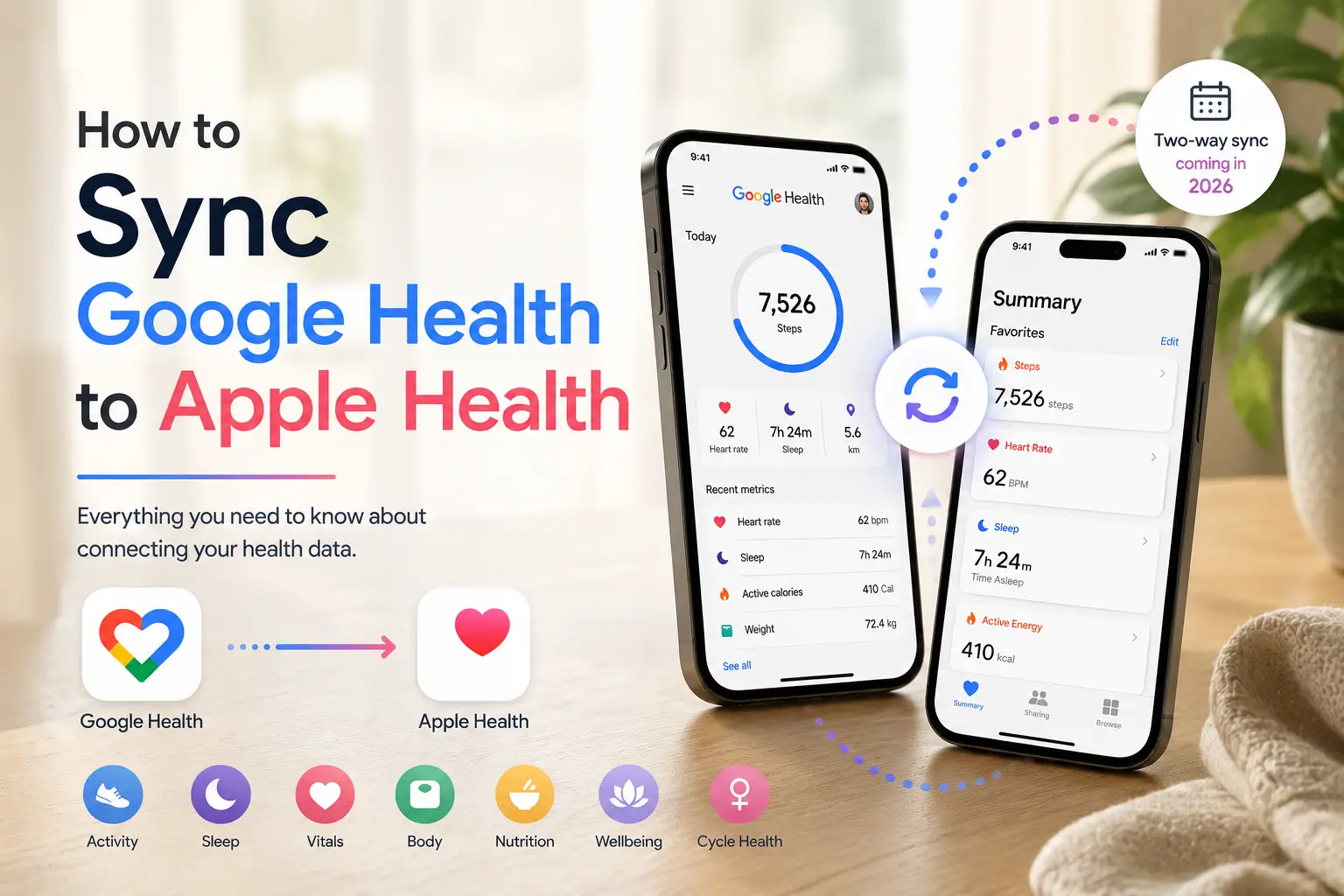
Google Health can now sync with Apple Health in both directions. As of the Google Health 5.05 update that rolled out on August 3, 2026, you can share data like your exercise records, steps, vitals and sleep from Google Health back into Apple Health, not just the other way around.
That means the connection now works in both directions:
Apple Health → Google Health
Google Health → Apple Health
Before this update, Google Health could only read your Apple Health data. You can still view your Apple Health metrics inside your Google dashboard by toggling on the connection in your app settings, and you can now push your Google Health, Fitbit or Pixel Watch data into Apple Health the same way, through the Partner apps menu. If you're tracking data across more platforms than just these two, apps like Sonar can help pull everything into one unified dashboard.
Can Google Health Sync to Apple Health?
Yes, now in both directions. Google Health has always been able to pull your Apple Health data in, and as of the version 5.05 update it can send data back out too. Here's an easier way to understand the current integrations:
| Connection | Status | What it means |
|---|---|---|
| Apple Health to Google Health | Works | Your iPhone and Apple Watch data shows up in Google Health once you grant permission. |
| Google Health to Apple Health | Works | Google Health can write data such as steps, sleep and vitals back into Apple’s Health app. |
| Health Connect and Google Health (Android) | Works both ways | Android users can pull Health Connect data into Google Health and share Google Health data back out to other apps through Health Connect. |
| Google Fit to Apple Health (legacy) | One way only | Google Fit has its own iPhone permission flow with Apple Health. |
A Few Requirements Before Starting
Before connecting Apple Health to the Google Health app, make sure:
- Your iPhone or iPad is connected to the internet
- Your device is running iOS 16.4 or higher
- You are signed in to the Google Health app with your Google Account
Google's App Store listing describes the current iOS app as Google Health, formerly Fitbit, and says it can sync with Fitbit, Pixel Watch, health tracking apps and medical records where supported.
How to Connect Google Health With Apple Health
Follow these steps:
- Open the Google Health app
- Tap Connections in the top left
- Tap Apps and services
- Under Add connections, tap Apple Health
- Tap Get started
- Review the consent page titled Sync Google Health with Apple Health
- Tap Agree
- Follow the prompts to authorize the connection
- Choose whether to turn on all Health categories or only specific data types
- Tap Done after permissions are granted
How to Send Google Health Data to Apple Health
This is new as of the version 5.05 update. To share your Google Health data into Apple Health:
- Open the Google Health app
- Tap your profile icon
- Select Partner apps
- Tap Apple Health
- Follow the setup prompts to connect for the first time, or tap Review permissions if you're already connected and want to add new data types
- Once permissions are granted, your Google Health data will start syncing into Apple Health
What Apple Health Data Can Google Health Read?
Google Health can read numerous Apple Health metrics, depending on the permissions you've granted. Current supported categories include:
| Category | Examples |
|---|---|
| Fitness | Steps, VO2 max, floors, active calories burned, distance, exercise and exercise routes. |
| Sleep | Sleep sessions and sleep stages. |
| Vitals | Heart rate, HRV, oxygen saturation, respiratory rate, resting heart rate and blood glucose. |
| Body measurements | Weight and fat percentage. |
| Nutrition | Energy, macros and water quantity. |
| Mental wellbeing | Mindfulness. |
| Cycle health | Periods, flow, ovulation, symptoms, moods and related cycle data. |
Google Health can now write metrics like exercise records, steps, vitals and sleep to Apple Health. Google also says the app currently reads and displays three months of historical Apple Health data, with support for more history expected in a future update.
How to Manage Apple Health Permissions for Google Health
You have complete control over which Apple Health categories Google Health can access.
To manage permissions from the Google Health app:
- Open Google Health
- Tap Connections
- Tap Apps and services
- Under Connected, tap Apple Health
- Tap Manage data and access
To manage permissions from Apple Health:
- Open the Apple Health app
- Tap Sharing
- Scroll to Apps
- Tap Google Health
- Review or change the permissions
Apple also says you can manage data permissions by going to your profile in the Health app, tapping Apps under Privacy, selecting the app and toggling on the health categories you want that app to track.
If Your Apple Health Data Isn't Showing Up
There's a few common fixes:
- Update the Google Health app to the latest version.
- Try again, make sure you're using your WiFi connection and not cellular.
- Open Apple Health, check the Sharing tab and confirm Google Health still has active read permissions for the categories you expect to see.
- Look for a notification mentioning new data types in either app. Newly added Apple Health categories need a fresh permission grant before they show up in Google Health.
Frequently Asked Questions (FAQ)
Can Google Health send data back to Apple Health?
Yes. As of the version 5.05 update on August 3, 2026, Google Health can write data such as exercise records, steps, vitals and sleep back into Apple's Health app. Early users have reported that heart rate variability is an exception and doesn't sync over. You'll need to grant permission under Partner apps in the Google Health app first.
How do I turn on syncing from Google Health to Apple Health?
Update to Google Health version 5.05 or later, then tap your profile icon, select Partner apps and choose Apple Health. Follow the prompts to connect, or tap Review permissions if you're already connected and want to add new data types.
Does Health Connect work with Apple Health?
Not directly. Health Connect is Google's Android health data platform and Apple Health is the iPhone equivalent, so they don't talk to each other on their own. Google Health bridges the two separately instead, connecting to Health Connect on Android and to Apple Health on iOS, according to Google's support documentation.
How much Apple Health history shows up after I connect?
Around three months of your past data will sync initially. Google has said it plans to support a longer history window later in 2026, though has yet to confirm an exact timeline.
About Sonar
Your body is talking. Are you listening? Sonar unifies all of your wearables, lifestyle, and biomarker data to unlock personalized insights and detection once reserved for elite athletes and biohackers. Trusted by 250,000+ users across 170+ countries, Sonar helps you cut through the noise across sleep, recovery, stress, activity, and nutrition - so you can focus on what actually matters. Sonar isn't just another health tracker. Launched out of Columbia University in New York, it merges the latest medical, sports and data science with AI engines that continuously surface subtle shifts and patterns across millions of data points, helping you know when to push, when to pause, and where to focus next.
More to Explore
Get the latest from Sonar
Share your email to stay up-to-date with all things Sonar
- English
- Bahasa Indonesia
- Bahasa Melayu
- Català
- Čeština
- Dansk
- Deutsch
- English (Australia)
- English (Canada)
- English (UK)
- Español (España)
- Español (Latinoamérica)
- Español (México)
- Français
- Français (Canada)
- Hrvatski
- Italiano
- Magyar
- Nederlands
- Norsk
- Polski
- Português (Brasil)
- Português (Portugal)
- Română
- Slovenčina
- Slovenščina
- Suomi
- Svenska
- Tiếng Việt
- Türkçe
- Ελληνικά
- Русский
- Українська
- עברית
- العربية
- हिन्दी
- ไทย
- 한국어
- 日本語
- 简体中文
- 繁體中文
EN